
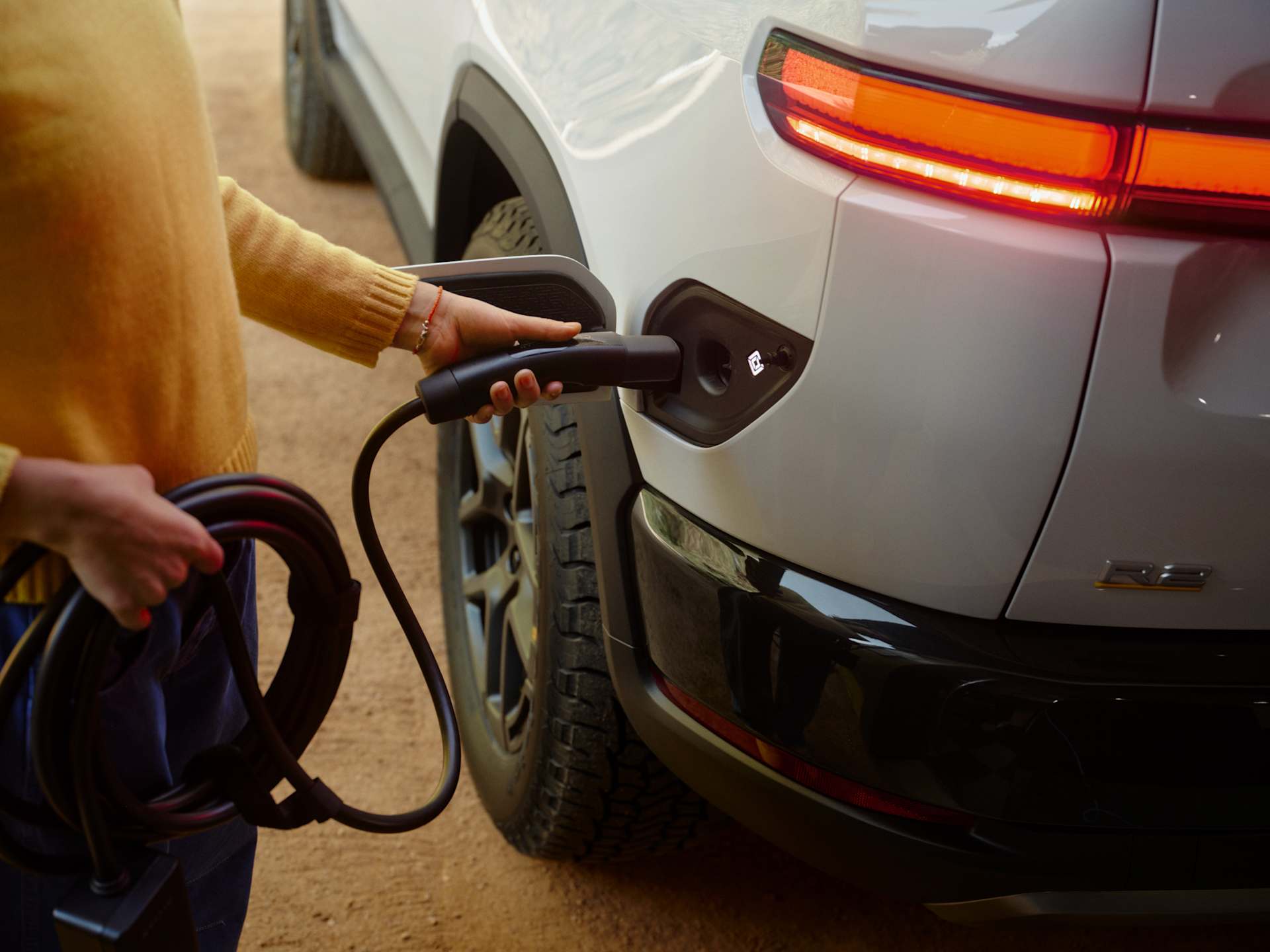
This Rivian R2 owner guide covers the five things that make the first month go smoothly: set up your keys, get home charging and a charge schedule in place, learn how the R2 charges on the road, keep the software current, and know when the car needs service. Here’s how to do each one, using Rivian’s own R2 Owner’s Guide and support pages. If you’re still waiting on yours, our R2 delivery wait times by color show what to expect. This guide follows the US edition of the owner’s guide, so the phone numbers below are Rivian’s US lines.
Set up your keys on day one
Rivian calls the mobile app the primary key to the car. Every driver needs a Rivian account, and one person on each vehicle is the primary owner with full admin rights. The R2 works with four kinds of key:
- Digital key. A key stored in the wallet app on a compatible iPhone, Apple Watch or Android phone, which you add through the Rivian app. Rivian says you can share a digital key with up to seven other drivers, and it works without an internet connection once it’s set up.
- Phone key. The Rivian app itself, using Bluetooth. You can pair up to four phones this way.
- Key fob. A physical fob for drivers who’d rather not rely on a phone.
- Key card. It works only on the driver door handle. Tap it on the small indent, then start the car within 60 seconds. If you miss that window, touch the card to the charging tray on the center console and wait for the chime.
Turn on passive entry under Settings, then Access, so the car unlocks as you walk up and locks as you leave. The same screen lets you set a home location and choose whether the car locks and unlocks at home, only locks, or does neither.
One small catch: your driver profile, with your saved seat, mirror and steering wheel positions, won’t load when you use the key card.
Get home charging right
Rivian’s R2 home charging guide lays out three setups:
| Setup | Power | Range added per hour |
|---|---|---|
| Rivian Wall Charger on a 60-amp circuit | 11 kW | Up to 38 miles |
| Portable Charger on a NEMA 14-50 outlet | About 7.6 kW | About 25 miles |
| Standard 120-volt outlet | Low | A few miles |
The Wall Charger is the overnight option most owners choose. Rivian recommends a licensed electrician for the install and works with Treehouse and Qmerit to find one. Check for utility rebates before you buy hardware.
Then tell the car when and how much to charge:
- Charge limit. Go to Energy, then Charging, then Level, and slide the bar anywhere from 50 to 100 percent. Rivian suggests 70 to 80 percent for everyday driving and 100 percent before a road trip.
- Charge schedule. Go to Energy, then Charging, then Schedule on the center display, or Energy, then Schedule in the app. A custom schedule only runs at the location you save it to.
- Off-peak schedule. In the app’s Energy section, choose “Charge off-peak and save,” pick your utility, and the app suggests charging times based on your utility’s rates.
- Amps. If your circuit is shared or limited, lower the current under Energy, then Charging, then Amps.
Charging on the road: NACS, the Adventure Network and Plug and Charge
Every R2 has a NACS charge port, the same plug Tesla uses. That means it can use Tesla Superchargers directly with no adapter, and Rivian says there are more than 21,000 of them across the US and Canada. The Rivian Adventure Network has over 150 sites and 1,100 chargers, and Rivian says its stations work with both NACS and CCS cars.
For older CCS1 fast chargers you need an adapter. The owner’s guide says to use only UL2252-certified adapters, such as Rivian’s Combo CCS1 DC Adapter. It also says adapters aren’t meant for daily use, and never to use an extension cord at a DC fast charger. Some Tesla AC chargers may not work with the R2’s port, so check the charger before you plug in.
Plug and Charge stations start a session as soon as you plug in and bill the primary owner’s Rivian account. Save a payment method to that account before your first trip, then use the Navigation app to find Plug and Charge stops. Receipts show up in the mobile app.
Under optimal conditions, Rivian rates the R2 at up to 150 miles of range in about 15 minutes and 10 to 80 percent in under 30 minutes on a high-powered fast charger. To get close to that, route to the charger in Navigation, which warms the battery on the way. You can also start that warmup yourself under Energy, then Charging, then Prepare for fast charging.
Keep your software current
Software updates are how the R2 gets new features and safety fixes, so it’s worth letting them install on a schedule. When an update arrives, the car offers Install Now, Schedule for Later or Not Now. If you choose Schedule for Later, you can turn on “Always auto install” at a set time and limit it to installs at home. You can change this anytime under Settings, then Updates.
Before an update runs, the R2 needs at least 35 miles of range, has to be in Park, can’t be on a DC fast charger and must have Pet Comfort off. The car can’t be driven during the install, and Rivian says most updates finish in about an hour.
Here’s how the R2’s releases have arrived since launch, according to the owner-run tracker Rivian Roamer:
| R2 software version | Release date |
|---|---|
| 2026.20.40 | Jun 28, 2026 |
| 2026.20.41 | Jun 30, 2026 |
| 2026.24.40 | Jul 15, 2026 |
| 2026.24.41 | Aug 6, 2026 |
| 2026.31.40 | Sep 4, 2026 |
| 2026.36.40 | Oct 7, 2026 |
| 2026.36.41 | Oct 12, 2026 |
Version 2026.31.40 is the one that matters. It’s the fix for recall 26V597, where a pop-up alert could cover the backup camera image when you shift into reverse. Any R2 on 2026.31.40 or newer is covered, and Rivian says every R2 built after August 10 left the factory with the fix. Our camera recall explainer shows how to check your version. Rivian’s only other R2 recall so far covered 14 early SUVs with a battery fastener, and Rivian brought all of them in for service. You can search any VIN on Rivian’s recall page.
The 2026.36 line brought Rivian Assistant and Pet Cam to the R2, and 2026.36.40 or later also unlocks the Ghostbusters Halloween Mode through November 2. Rivian Assistant needs Connect+. Every new Rivian gets a 60-day Connect+ trial from delivery, and after that it’s $14.99 a month or $149.99 a year. Make a note of when your trial ends.
New R2s also come with a 60-day Autonomy+ trial, and the R2 Performance with Launch Package includes Autonomy+ for the life of the car. Owners with a paid or included plan can apply for Point to Point early access, which Rivian began rolling out by invitation on Oct 15, starting in California and Florida. Trials don’t qualify. Here’s how Point to Point compares with Tesla FSD.
Learn the drive modes
Open Drive Modes on the center display. The on-road modes are All-Purpose, Sport, Conserve and Snow. The off-road modes are All-Terrain, Soft Sand and Rally. Which ones you get depends on your motor setup, and our R2 trim cheat sheet shows which trim gets which. All-Purpose is Rivian’s pick for every on-road condition, rain included. Snow relaxes pedal response and reduces regenerative braking for snow, slush and ice. Conserve switches between rear- and all-wheel drive when conditions allow to save energy.
You can tune stability, ride feel and regen for each mode, and Reset puts them back to default. If you leave the car in an off-road mode, it switches back to All-Purpose four hours after your last drive. If your R2 has Launch mode, you’ll find it under Drive Modes, then Sport, then Launch. Rivian says it’s designed for a closed track in dry conditions.
Check your tires monthly
Rivian asks owners to check tire pressure monthly with a gauge, with the tires cold. Use the pressures on the Tire and Loading Information label on the driver door pillar, not the number on the tire sidewall. For a quick reading, pull back the left Haptic Halo Wheel on the steering wheel and scroll to the tire view on the driver display.
The R2 uses 255/60R20 or 255/55R21 tires. Cars without the optional compact spare come with a tire mobility kit. If you have the spare, inflate it to 61 psi and keep under 50 mph on it. Rivian warns that non-factory tire sizes or brands can affect your warranty.
Accessories worth knowing about
Rivian’s Adventure Gear for R2 page has setup guides for the R2 Cargo Cover, a front sunshade, an outdoor cover, locking wheel nuts, a power bank, an interior care kit and the Adventure Key Set. If you use older CCS fast chargers, the Combo CCS1 DC Adapter is the one to add, and the Wall Charger is sold through Rivian too.
Service, warranty and roadside help
Book service in the Rivian app. Rivian offers mobile service as well as service centers. The app also tracks your maintenance and tire mileage under Service, then Vehicle maintenance. Rivian’s R2 maintenance schedule is short:
| Service | When |
|---|---|
| Tire rotation | Every 9,000 miles |
| Comprehensive inspection | Every 18,000 miles or 18 months |
| Brake fluid | Every 3 years |
| Brake caliper clean and lube (salted roads) | Every 12 months or 12,000 miles |
| Coolant | Every 108,000 miles |
For the R2 Premium and Performance, Rivian’s warranty covers the car for 4 years or 50,000 miles, and the battery and drive system for 8 years or 120,000 miles. Roadside Assistance runs 24/7 for the full warranty term, and you can call it from the app or the center display. Rivian’s 24/7 service line is 1-855-748-4265, and Roadside Assistance is 1-844-748-4264.
What to finish in week one
The R2 does much of its work in the background, from warming the battery for a charge to fixing recalls over the air. That only works once the basics are set: a key on every driver’s phone, a charge limit and schedule, a payment method on the account, and updates set to install on their own. Do those in your first week and the car handles most of the rest.